How to cash out and withdraw bitcoin to a bank account in Australia
To cash out bitcoin in Australia, sell it to paybtc. Log in with your email, enter the amount and your BSB and account number, then send the exact amount of bitcoin to the address shown. After one confirmation, the AUD lands in your bank account.
How to sell bitcoin for AUD, step by step
Log in with your email.
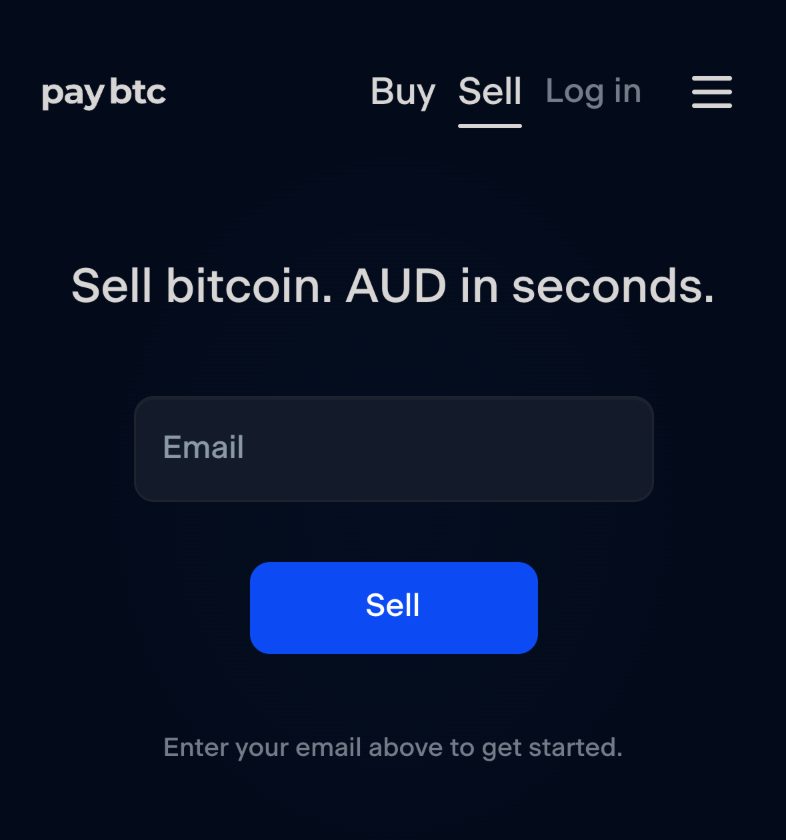
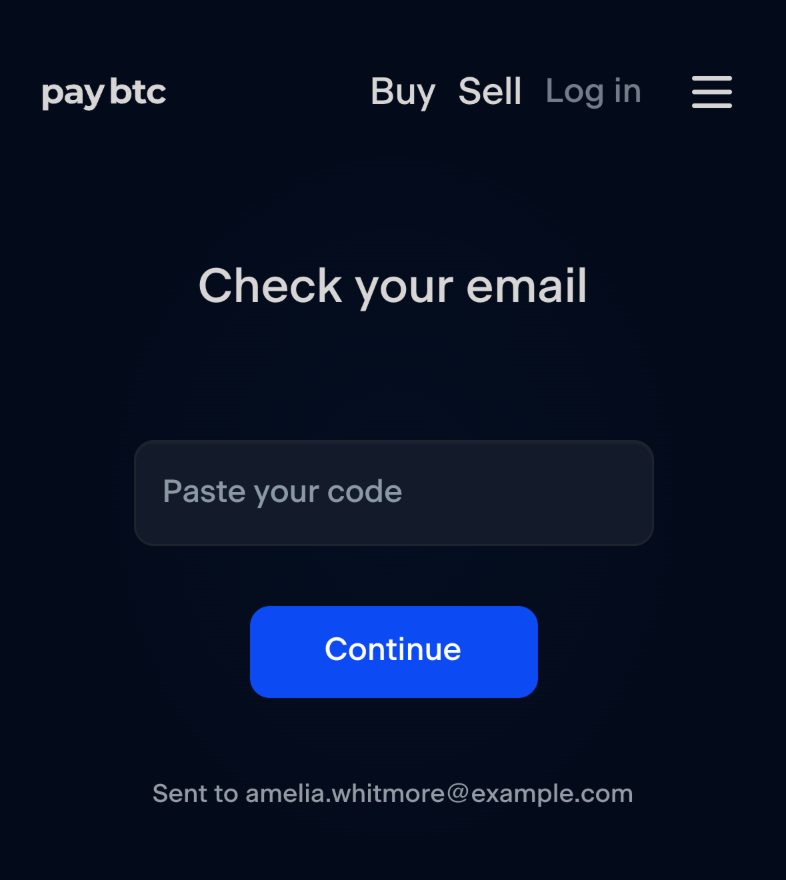
Go to paybtc.com.au/sell, type your email and press Sell. The next screen reads “Check your email”: paste the code from that email and press Continue. Check your spam folder if it is slow to arrive. Your email is your login.
Enter the amount.
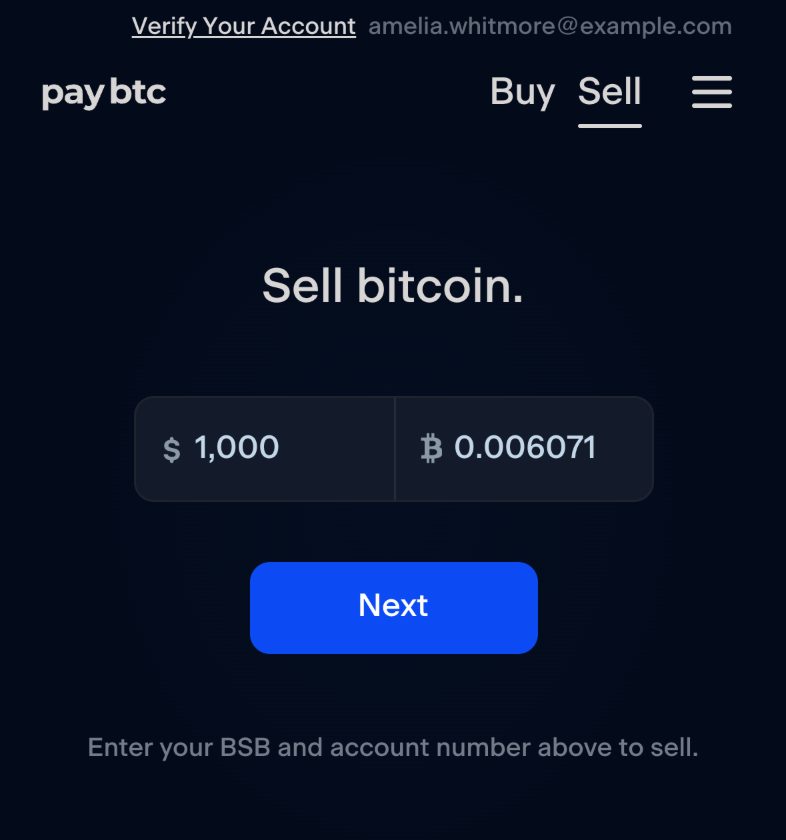
The heading reads “Sell bitcoin.” Type the AUD you want or the BTC you are selling, and the form fills in the other at the sell price. Press Next.
Enter your bank details.
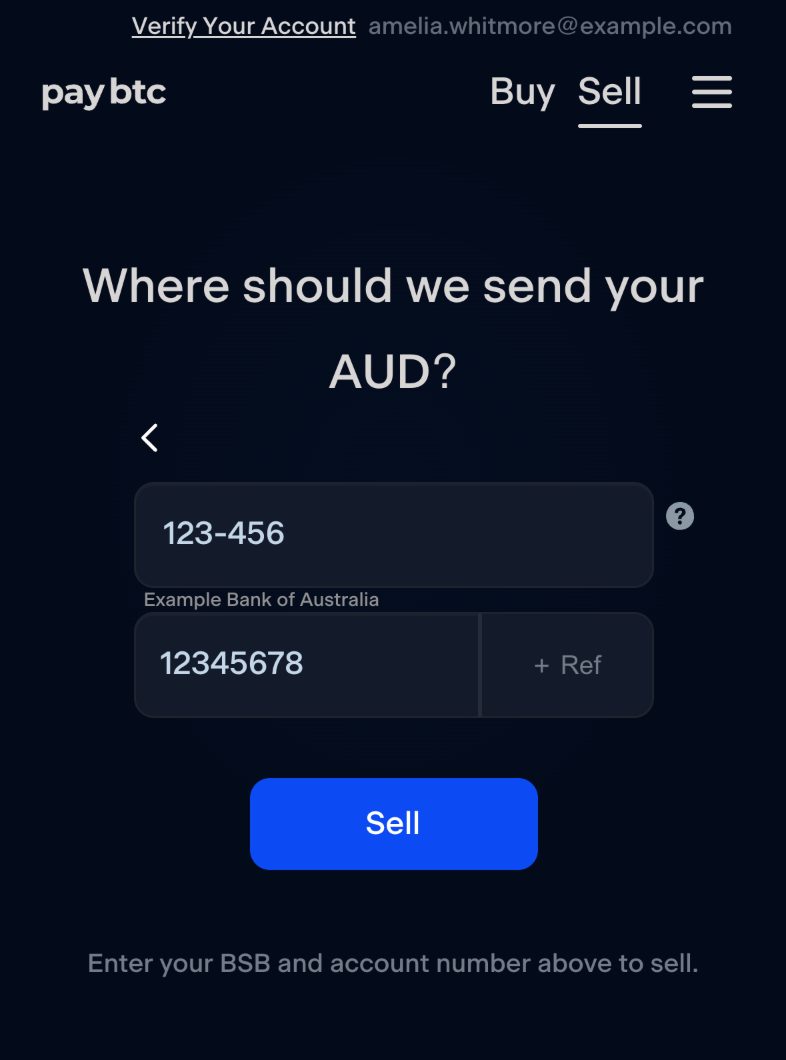
The heading asks “Where should we send your AUD?” Enter the BSB and account number of the Australian bank account the AUD should land in, and the form shows your bank's name under the BSB once it recognises it. A reference for your own statement is optional, behind “+ Ref”. Press Sell. Next time, the amount and the bank details sit on one screen.
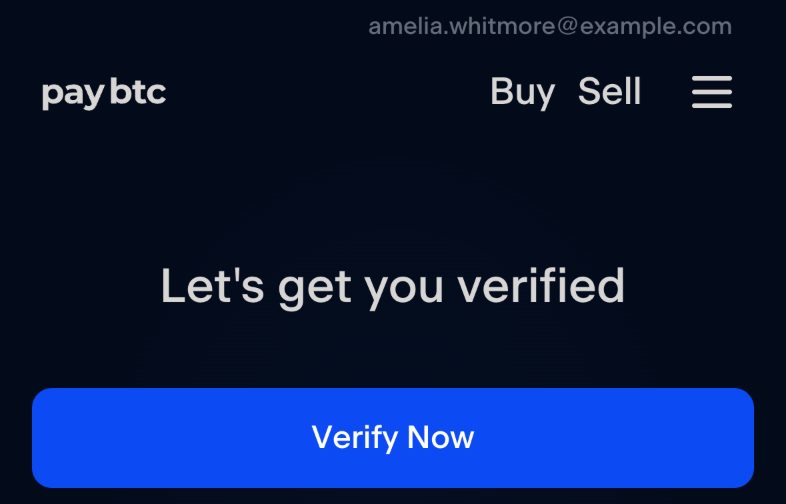
Verify your identity, the first time.
The screen reads “Let's get you verified”: a few safety questions, your mobile number and address, then your ID. Australian law requires identity verification at every digital currency exchange, and paybtc asks once. Verification is usually completed within minutes, and your order page opens when it is done.
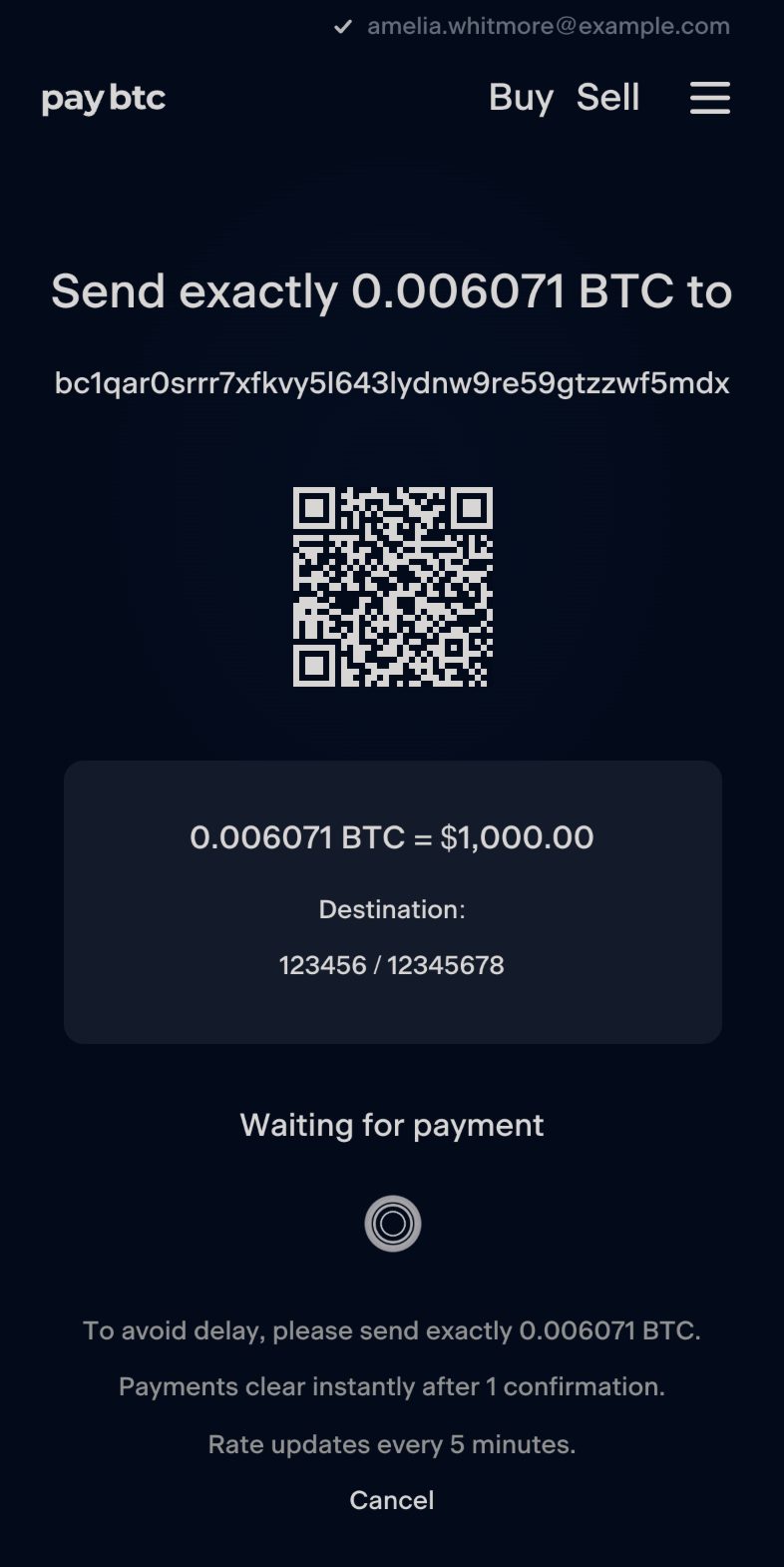
Send the exact amount of bitcoin to the address shown.
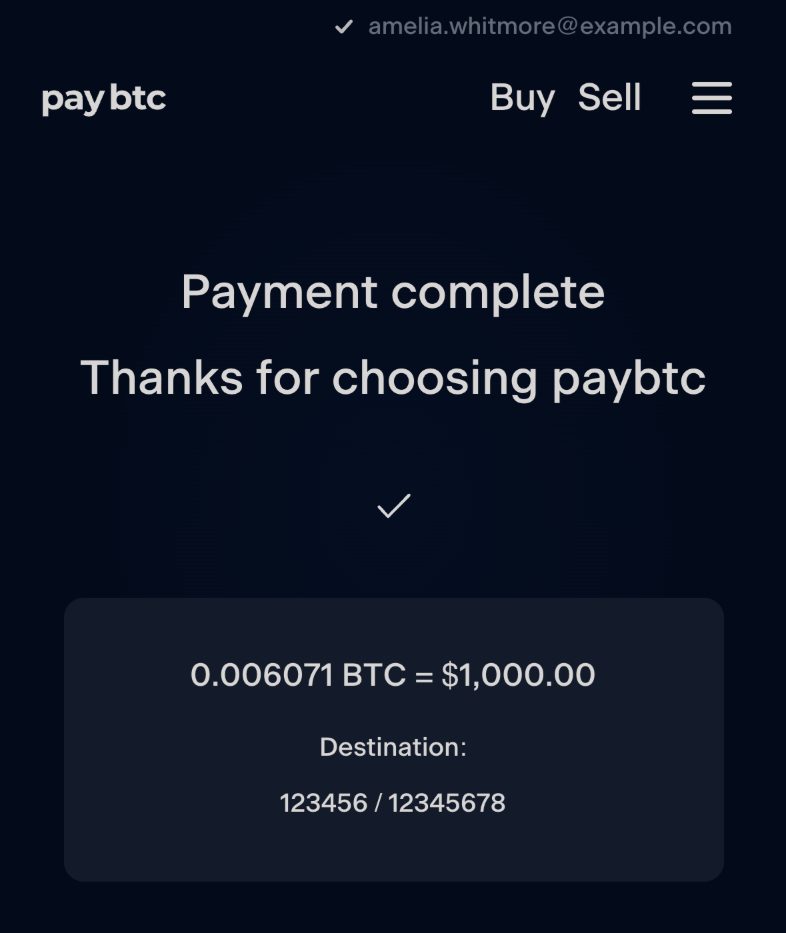
The order page is headed “Send exactly … BTC to …” with a QR code, and the card under it reads “… BTC = $…” with your bank details under “Destination:”. Scan the QR code with your wallet or paste the address, and send exactly the BTC amount shown. The AUD amount of your order is fixed; the BTC to send follows the sell price, which updates every five minutes, so send soon after the page opens. If less arrives than the order needs, the page shows the shortfall and offers Recalculate, which pays you for the bitcoin that arrived, or you send the rest to the same address.
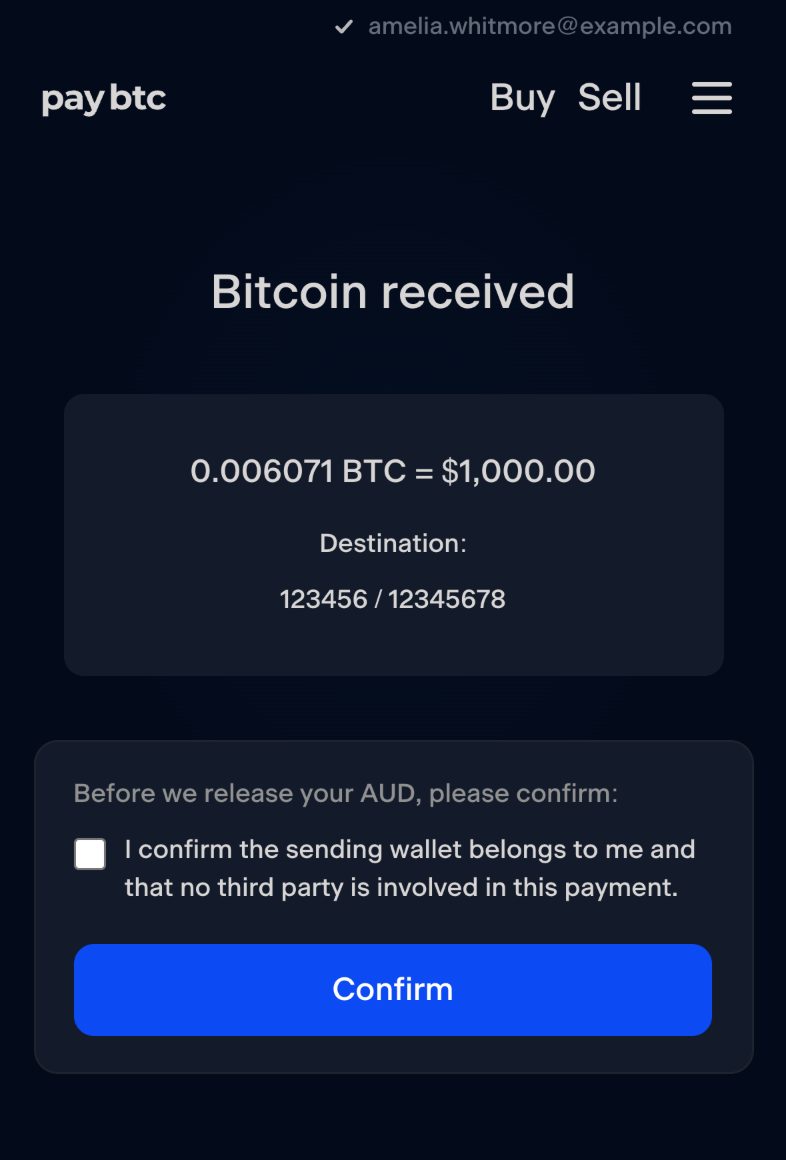
Confirm the sending wallet is yours.
When the bitcoin arrives the page reads “Bitcoin received” and asks, “Before we release your AUD, please confirm:”, with one box: “I confirm the sending wallet belongs to me and that no third party is involved in this payment.” Tick it and press Confirm. paybtc asks this under the AUSTRAC Travel Rule.
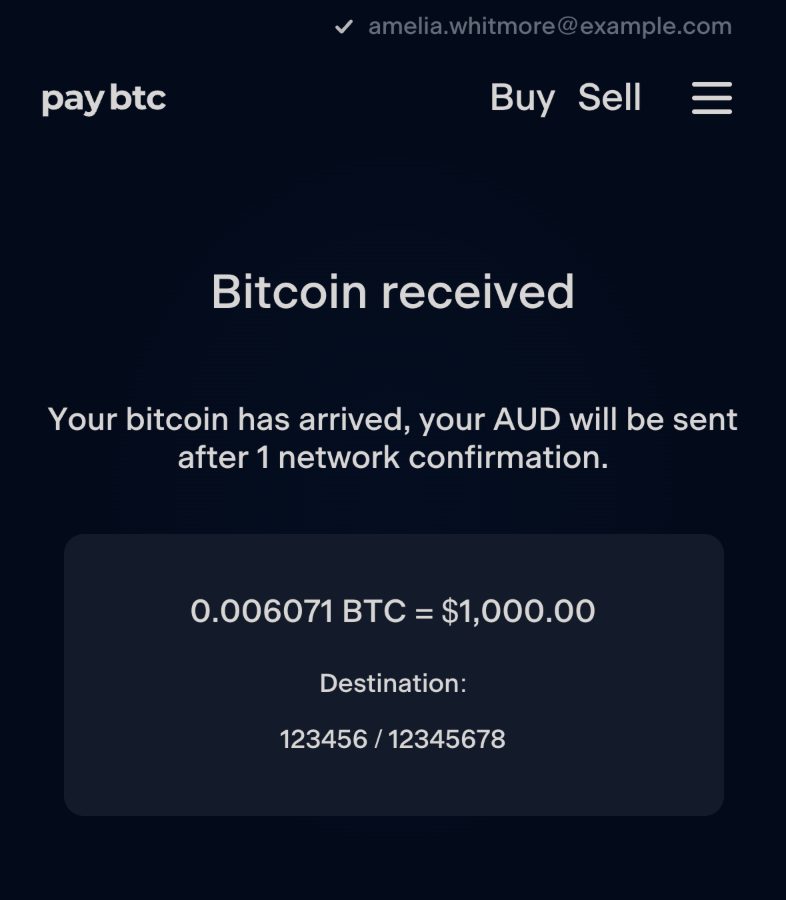
The AUD lands.
The page then reads “Your bitcoin has arrived, your AUD will be sent after 1 network confirmation.” That confirmation usually takes around ten minutes, and paybtc then pays the AUD by instant bank transfer, 24/7, weekends and public holidays included. The page ends on “Payment complete”.
The facts
| Payout | AUD by instant bank transfer after one confirmation on the bitcoin network, 24/7, weekends and public holidays included |
|---|---|
| Confirmation time | Usually around ten minutes; it depends on the fee your wallet sets, and a higher fee confirms sooner |
| A bank that takes regular transfers | The money typically arrives the next business day |
| Bank account | Any Australian bank account with a BSB and account number; the payment arrives through the New Payments Platform (NPP) |
| Order size | The form takes an order up to $600,000; the smallest order is a live setting, shown under the amount as “Minimum $…” when you go below it |
| Daily limit | Set per account by paybtc; an order over it shows “Your daily sell limit”, “Remaining today” and a “Request limit increase” link |
| Rate | The AUD amount of your order is fixed; the BTC to send follows the sell price, which updates every five minutes |
| Cost | The amount on the order page is the amount that lands in your bank; paybtc is maintained through the spread between its buy and sell price |
| Identity verification | Required by Australian law at every digital currency exchange; asked once; usually completed within minutes |
| Wallet confirmation | Before the AUD is released you confirm the sending wallet is yours, under the AUSTRAC Travel Rule |
| First sale review | The order page explains it: paybtc emails you to confirm your first transaction, usually within 48 hours, Monday to Friday, and after that future transactions clear instantly, 24/7 |
| Regulation | AUSTRAC registered; Australian owned, trading since March 2019 |
Ready when you are.
Sell bitcoinQuestions answered.
Can you cash out bitcoin for real money in Australia?
Yes. Sell it to paybtc and the AUD lands in your Australian bank account after one confirmation. paybtc is AUSTRAC registered and has traded since March 2019.
How do I withdraw bitcoin to my bank account?
Go to paybtc.com.au/sell, enter the amount and the BSB and account number of the account you want paid, and send the exact amount of bitcoin to the address on your order page. After one confirmation the AUD is paid to that account.
How long does it take to turn bitcoin into cash?
One confirmation on the bitcoin network, usually around ten minutes, then paybtc sends the AUD by instant bank transfer, 24/7. The confirmation time depends on the fee your wallet sets. If your bank takes regular transfers, the money typically arrives the next business day.
Can I sell bitcoin for physical cash in Australia?
Sell on paybtc, let the AUD land in your bank, then withdraw cash from your bank as usual. Bitcoin ATMs do exist, but their fees are high. Use a bank.
Do I have to put my bitcoin on an exchange to sell it?
paybtc is Australia's self-custody bitcoin exchange. Your bitcoin stays in your own wallet until you send it to the one-time address paybtc gives you for the order, and the AUD goes straight to your bank.
What does it cost to sell bitcoin on paybtc?
The amount on your order page is the amount that lands in your bank. paybtc is maintained through the spread between its buy and sell price.